

Technical SEO & On-Page SEO
for Construction Companies
Let’s face it: as a construction company, you’re probably more comfortable with blueprints than with robots.txt files. But mastering the basics of SEO is just as crucial as laying a solid foundation for a building.
If you’re using WordPress, you’re in luck. Most of the technical SEO requirements are handled by plugins like RankMath or Yoast. We’re fans of RankMath ourselves, but either option will get the job done.
Technical SEO vs. On-Page SEO vs. Off-Page SEO
Before we dive in, let’s quickly break down the three main types of SEO:
- Technical SEO: This is the behind-the-scenes stuff that helps search engines crawl and index your site. Think of it as the plumbing and electrical work of your website.
- On-Page SEO: This involves optimizing individual pages on your site, including content and HTML source code. It’s like staging a house for potential buyers.
- Off-Page SEO: These are actions taken outside of your website to improve its search engine rankings, such as building backlinks. Think of it as word-of-mouth marketing for your site.
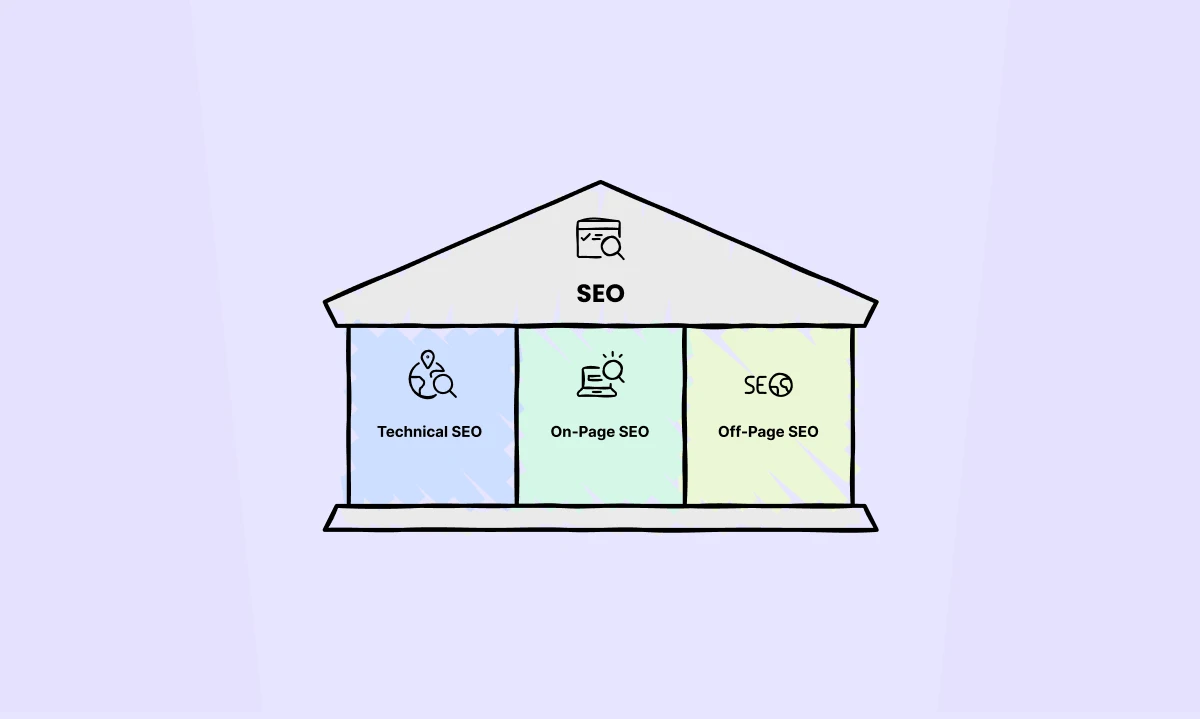
In this guide, we’re only going to cover technical and on-page SEO.
Technical SEO for Construction Company Websites
01. Crawlability & Indexability
First things first: if search engines can’t read and index your site, you’re essentially invisible online. Let’s fix that.
Use SEO-Friendly Website Structure for Contractors
Think your website structure doesn’t matter? Think again. A well-organized site is like a well-planned construction project – it makes everything easier and more efficient.
Here’s why nailing your site structure is crucial:
- It’s a crawler’s best friend: Search engines love a tidy website. A logical structure helps them crawl and index your pages faster than you can say “SEO”.
- Users will thank you: Nobody likes getting lost on a website. A clear structure means visitors find what they need quickly, boosting engagement and reducing bounce rates.
- Spreads the SEO love: Good structure distributes link equity throughout your site. It’s like giving every page a fighting chance to rank.
So, what’s the blueprint for a killer site structure? Here are two key elements:
- Keep it flat: Aim for a structure where users can reach any page within 4 clicks from the homepage. It’s the digital equivalent of an open-plan office – everything’s easy to access.
- Embrace content siloing: Group your content logically based on topics and user intent. It’s like organizing a toolbox – everything related goes together.
Here’s a quick example of what this might look like for a construction company:
- Home
- Services
- Residential Construction (main service page)
- New Construction (sub-service page)
- New Construction in Boston, MA (service+location page)
- New Construction in Newton, MA
- Bathroom Remodeling
- Bathroom Remodeling in Boston, MA
- Bathroom Remodeling in Newton, MA
- Kitchen Remodeling
- Kitchen Remodeling in Boston, MA
- Kitchen Remodeling in Newton, MA
- Commercial Construction
- Storefront Construction
- Shopping Centers
- Retail Renovations
- Apartments
- Condominiums
- Mixed-Use Developments
- Project Management
- Service Areas (list of locations)
- Boston, MA
- Newton, MA
- Client Reviews
- Recent Projects
- Project Categories (e.g., Residential, Commercial, Renovations)
- Individual Project Pages
- About Us (Company History, Team, Certifications and Awards)
- Blog/News
- Construction Tips
- Company News
- Contact Us
Remember, a well-structured website isn’t just about looking good – it’s about performing well.
Get this right, and you’re laying a solid foundation for your SEO success.
Utilize Internal Linking
Think internal linking is just about throwing in a few random links? Think again. It’s a powerful tool that can make or break your SEO strategy.
Internal linking is like creating a network of roads within your website. It connects related content, guides users through your site, and helps spread that precious link equity. But like any powerful tool, it needs to be used wisely.
Let’s cut to the chase. Here’s what you should and shouldn’t do:
| The Do’s and Don’ts of Internal Linking | |
| ✅ Do | ❌ Don’t |
|
|
For SEO, internal linking is like drawing a roadmap for search engines, helping them navigate and understand your site structure with ease. Plus, it gives your site’s crawlability a serious boost – more pages crawled (or scanned) means more chances to rank.
And let’s not forget how it spreads page authority around your site like butter on toast. Delicious for your SEO health!
But it’s not just about pleasing those search engine bots.
Your human visitors will thank you too.
Internal links act like breadcrumbs, guiding users to related content they might be itching to read. This keeps them on your site longer, and we all know that the longer they stay, the more likely they are to convert.
And here’s the kicker: it helps reduce bounce rates.
Because let’s face it, who doesn’t want users sticking around and exploring more of what you have to offer? Internal linking is a win-win for both SEO and user experience.
3 Tips for Internal Linking Mastery
If you want to level up your internal linking game, try these:
- Dust off those old posts and sprinkle in some new internal links.
- Hunt down those lonely orphan pages (pages with no internal links) and give them some connection.
- Create a logical linking structure. If you’re talking about kitchen remodeling, link to your kitchen design services, not your roofing page.
Use an SEO Friendly URL Structure
Your URL structure is like your website’s address system. Get it right, and both users and search engines will find their way around with ease.
Here’s how to craft URLs that Google (and users) will love:
- Keep it lowercase. UPPERCASE LOOKS LIKE YOU’RE SHOUTING.
- Use dashes to separate words. Google prefers them over underscores.
- Keep it short and sweet. Long URLs are hard to read and remember.
- Ditch unnecessary words. “The”, “and”, and “of” can usually take a hike.
- Sneak in your target keywords. But remember, readability comes first.
Follow your site’s silo structure when crafting URLs. For example:
- www.yourconstructionwebsite.com/residential-construction/new-construction-boston-ma/
- www.yourconstructionwebsite.com/residential-construction/kitchen-remodeling-boston-ma/
See how these URLs clearly show the content hierarchy?
That’s what you’re aiming for.
Remember, good URLs are like good directions – clear, concise, and easy to follow. Nail this, and you’re one step closer to SEO success.
Audit and Use Robots.txt Correctly
Ever wished you could tell search engines which parts of your site to crawl and which to ignore?
Enter robots.txt, your website’s very own bouncer. This tiny text file sits in your root directory, giving instructions to search engine bots.
But beware! One wrong move and you could accidentally show Google the exit. Always double-check to ensure you’re not excluding search engines from important content.
Tip: Use a robots.txt testing tool to validate your file. It’s like having a proofreader for your bouncer’s instructions.
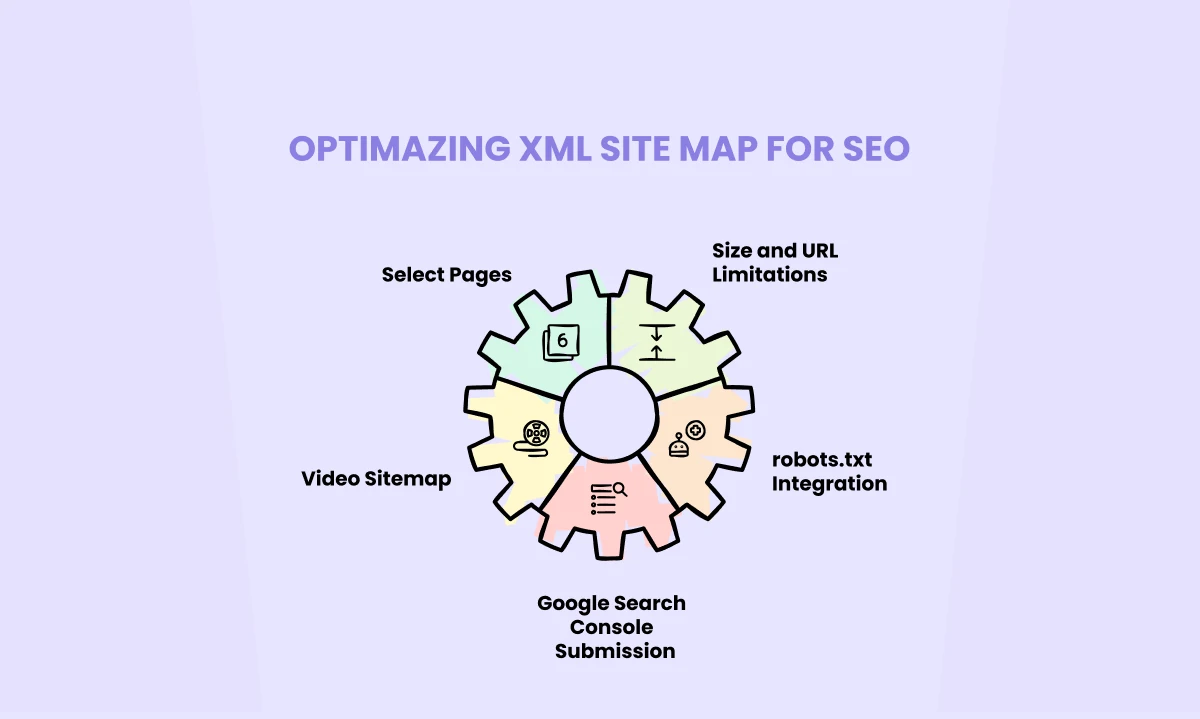
Set up XML Sitemaps & Submit Them to Google Search Console
Think of an XML sitemap as your website’s VIP guest list for search engines. It’s a file that lists all your important pages, telling search engines, “Hey, these are the pages you really need to check out!”
Here’s how to nail your XML sitemap game:
- Include only the pages you want indexed. Your “thank you” pages? They can sit this one out.
- Keep it under 50MB and 50,000 URLs. But for most construction sites, this is like worrying about fitting a toolbox in a dump truck.
- Got videos? Create a separate Video Sitemap. It’s like giving your multimedia content its own red carpet.
- Add your sitemap to your robots.txt file. It’s like leaving a map for the search engine explorers.
- Submit your sitemap to Google Search Console. Because if you’re throwing a party, you want to make sure the guests know where to go!
Avoid Index Bloating
Index bloat is like inviting search engines to a buffet where every dish is exactly the same. Not appetizing, right?
To keep your site’s index trim:
- Ensure each page has a unique purpose. No copycats allowed!
- Choose between www and non-www. Pick one and stick to it.
- Watch out for sneaky duplicates like pages with and without trailing slashes, or HTTP vs HTTPS versions.
- Be cautious with WordPress tags. They’re great for organization but can create more duplicate content than a photocopier gone wild.
Remember, canonical tags are your friends when dealing with necessary duplicates like paginated content.
Audit Meta Robots Tag
The meta robots tag is like a tiny traffic controller sitting in your page’s <head>. It tells search engines whether to index a page, follow its links, or both. It’s your way of saying “Hey Google, this page is VIP” or “Nothing to see here, move along.”
Audit X-Robots Tag
The X-Robots tag is the meta robots tag’s cool cousin who works at the server level. It does the same job but can be applied to non-HTML files like PDFs or images. It’s perfect for when you need to control indexing for files that can’t contain meta tags.
Remember, whether you’re using robots.txt, sitemaps, or robots tags, you’re essentially communicating with search engines. So be clear, be consistent, and always double-check your instructions. Because in the world of technical SEO, clarity is king!
Use Canonical Tags
Picture this: You’ve got multiple copies of the same blueprint in your office. When someone asks for the plan, you want to hand them the original, right?
That’s exactly what canonical tags do for your website.
In the SEO world, it’s common to have similar content on different pages. Maybe you’ve got a “Kitchen Remodeling” page for Boston and another for Cambridge. They’re almost identical, but Google might see them as separate pages.
This can confuse search engines and dilute your ranking power.
Enter canonical tags.
They’re like a big stamp that says “THIS is the original version” on your web pages.
Here’s how to use them right:
- Use full web addresses (called “absolute URLs”). Instead of just “/services”, use “https://www.yourconstructioncompany.com/services“. It’s like giving complete directions instead of just saying “turn left at the big oak tree”.
- Stick to lowercase letters in your URLs. “KITCHENREMODELING” and “kitchenremodeling” might look the same to us, but search engines see them as different addresses. Keep it simple and lowercase.
- Only include your main pages in your sitemap. If you’ve marked a page as a copy (by using a canonical tag pointing to another page), don’t put it in your sitemap. It’s like only putting your showcase projects in your portfolio, not every single job you’ve done.
By using canonical tags correctly, you’re telling search engines, “Hey, focus on this page!” It helps concentrate your SEO efforts where they matter most.
Remember, you don’t need to be a tech wizard to use canonical tags.
Most website builders and SEO plugins have easy ways to set them up. If in doubt, ask your web developer to give you a hand. It’s worth the effort to keep your website’s SEO as solid as your construction projects!
Correct Crawl Errors
Crawl errors are like potholes on your website’s highway. They can trip up search engines and users alike.
To smooth things out, start the Google Search Console. Head to Indexing > Pages to see where the bumps in your road are.
Here, you might notice some pages labeled “Discovered – currently not indexed” or “Crawled – currently not indexed”. This is Google’s way of saying, “We see you, but we’re not sure if we want to hang out yet.”
There’s nothing to panic here – just go to these pages in the Search Console and hit that “Request Indexing” button. It’s like sending Google a formal invitation to your page party.
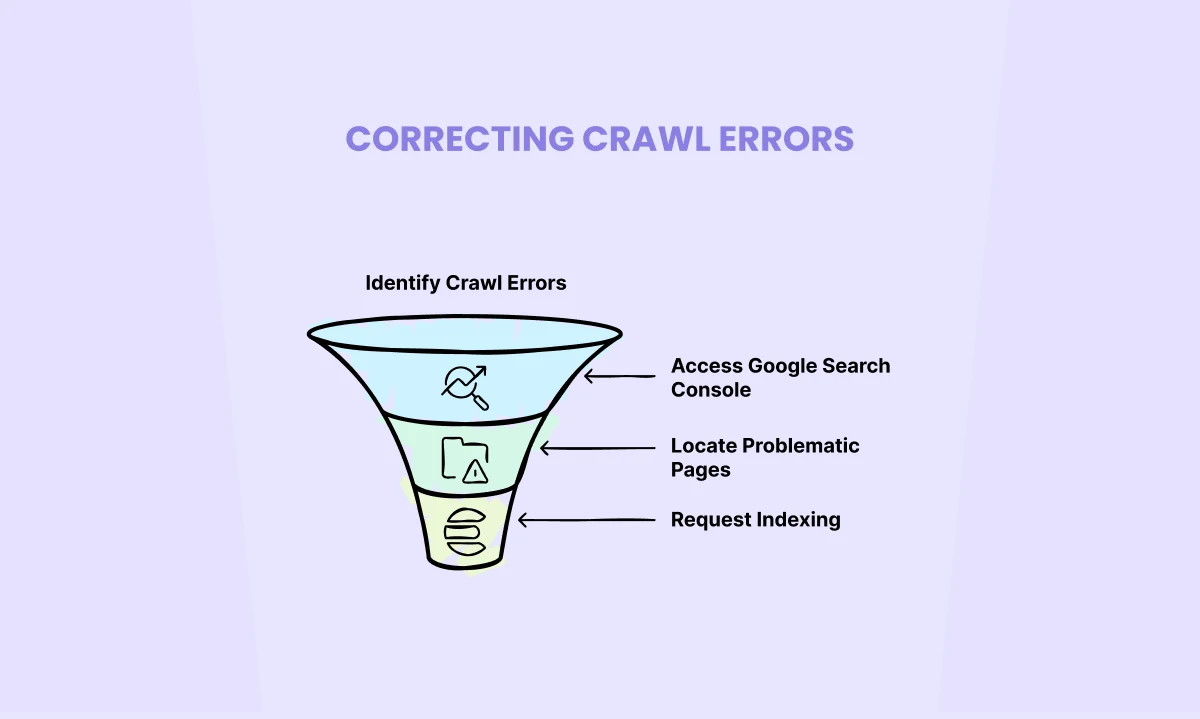
By addressing these issues, you’re not just helping search engines – you’re rolling out the red carpet for your users too. Remember, a smooth user experience is key to SEO success.
Pro Tip: Make checking for crawl errors part of your regular SEO maintenance. It’s like changing the oil in your car – a little effort now saves a lot of headache later.
02. Optimize Your Construction Website’s Speed and Improve Performance
Ever clicked away from a website because it took forever to load?
Yeah, your visitors feel the same way.
Site speed isn’t just about impatient users—it’s a crucial factor for SEO and user experience. A slow-loading page is like a construction project that’s constantly delayed.
Google, playing the role of a very impatient client, will likely take its business elsewhere. In SEO terms, that means lower rankings.
Before you start optimizing, you need to know where you stand. Use GTmetrix for detailed performance reports and PageSpeed Insights (Google’s own tool gives you a score out of 100) for actionable recommendations on improving page speed.
Once done there, here’s a short checklist to help you further:
- Minimize Server Response Time: This is like reducing the time it takes for your foreman to respond to a question. Upgrade your hosting or optimize your server configuration.
- Implement Site Caching: Think of this as creating blueprints for repeat visitors. Their browsers can load the cached version instead of requesting everything again.
- Leverage Critical CSS: This is like starting construction on the visible parts of a building first. It ensures the above-the-fold content loads quickly.
- Minify CSS and JS: Strip out all unnecessary characters from your code without changing functionality. It’s like using shorthand in your blueprints—less to read, same result.
- Embrace Next-Gen Images: Convert your images to formats like WebP. They’re like using lighter, stronger materials in construction—better performance without sacrificing quality.
Remember, optimizing site speed is an ongoing process. Keep testing and tweaking for the best results.
03. Mobile-Friendliness
In today’s world, if your site isn’t mobile-friendly, you might as well be building houses without doors.
See, Google has moved to mobile-first indexing.
In simple terms, Google primarily uses the mobile version of your site for ranking and indexing. If your mobile site is a mess, your SEO efforts are like building on quicksand.
Plus, with more than half of web traffic coming from mobile devices, ignoring mobile users is like turning away half your potential customers.
Not a smart move, right?
Here’s how to build a mobile-friendly site from the ground up.
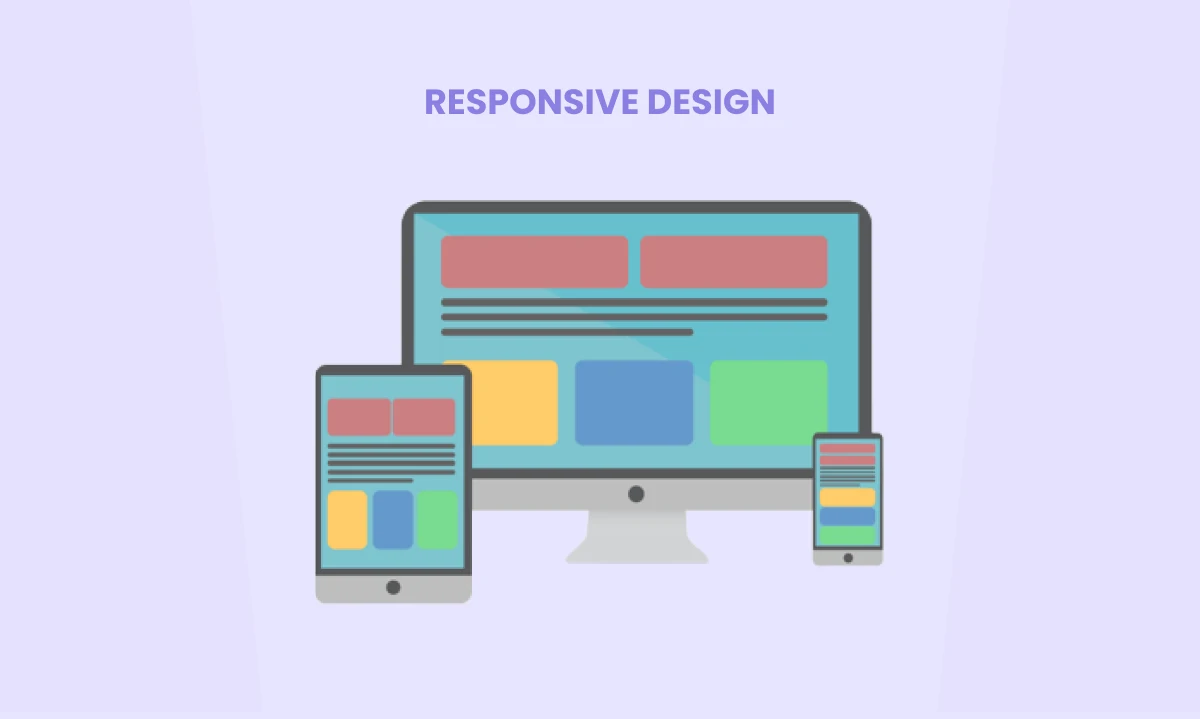
Responsive Design
Responsive design is like a Swiss Army knife for your website. It adapts to different screen sizes automatically. Here’s how to nail it:
- Use flexible grid layouts that adjust based on screen size.
- Make images flexible too. Use CSS’s max-width property to ensure images never exceed their container.
- Test your site on various devices. What looks great on an iPhone might be a mess on a Galaxy.
Readable Font Sizes
Nobody likes to squint at tiny text. Here’s how to keep things readable:
- Use a base font size of 16px for body text.
- Scale headings appropriately. A good rule of thumb: h1 = 2em, h2 = 1.5em, h3 = 1.17em.
- Avoid font sizes smaller than 12px. Your users’ eyes will thank you.
Viewport Settings
The viewport meta tag is like setting the stage for your mobile performance. Here’s the code you need:
<meta name=”viewport” content=”width=device-width, initial-scale=1″>
This tells browsers to set the width of the page to follow the screen-width of the device, with an initial zoom level of 1.
Navigation on mobile should be as easy as walking through an open door. Here’s how:
- Use a hamburger menu to save space.
- Ensure menu items have touch targets of at least 44×44 pixels.
- Keep your most important items towards the top or bottom of the screen where thumbs can easily reach.
Page Load Speed
Mobile users are often on slower connections. Make every kilobyte count:
- Compress images. Tools like TinyPNG can work wonders.
- Minify CSS, JavaScript, and HTML.
- Leverage browser caching to store commonly used files on users’ devices.
Clickable Buttons and Links
Fat Finger Syndrome is real. Make sure your buttons and links are easy to tap:
- Use buttons that are at least 44×44 pixels.
- Space out your links to prevent accidental clicks.
- Use descriptive anchor text. “Click here” doesn’t cut it on mobile.
Mobile-Friendly Forms
Forms should be as easy to fill out as possible:
- Keep forms short. Ask only for essential information.
- Use appropriate input types. For phone numbers, use <input type=”tel”>.
- Use autocomplete attributes to help users fill forms faster.
Regular Testing
Mobile optimization is not a “set it and forget it” task. Regularly test your site using Google’s Mobile-Friendly Test tool and make improvements based on the results.
Remember, a mobile-friendly site is like a well-designed building—it should be accessible, functional, and pleasant to navigate, no matter what device your visitors are using. Now go forth and mobilize!
04. Secure Your Website with SSL (Secure Socket Layer)
Imagine your website as a bustling construction site.
Would you leave it open for anyone to wander in? Of course not!
That’s where SSL comes in – it’s like hiring a top-notch security team for your digital property. It encrypts data traveling between your website and your visitors’ browsers.
Without it, hackers could potentially intercept sensitive information faster than you can say “identity theft.”
To spot a secure site, look for the padlock icon in the address bar and “https://” at the start of the URL. That ‘s’ stands for ‘secure’, and it’s your website’s VIP pass to the trust club.
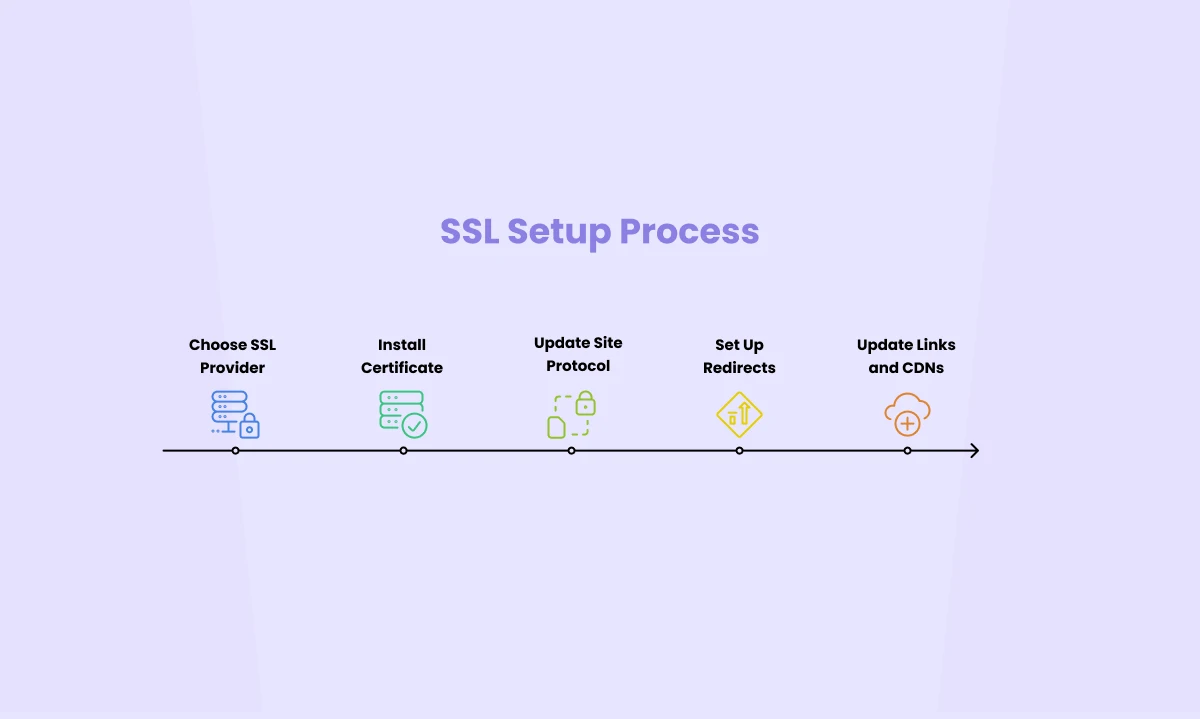
Here’s how you can setup SSL for your site as well:
- Choose an SSL certificate provider (many hosting companies offer this service).
- Install the certificate on your server.
- Update your site to use https:// instead of http://.
- Set up 301 redirects from HTTP to HTTPS.
- Update internal links, CMSs, and CDNs to use HTTPS.
Fun fact: Since 2014, SSL has been a ranking factor. It’s not just about rankings though. SSL builds trust with your visitors. And trust? That’s worth its weight in gold (or backlinks, in SEO terms).
05. Fix HTTP Errors
HTTP errors are like unexpected issues on a construction site. They can halt progress and frustrate everyone involved.
Think of these HTTP errors as miscommunications between your website (the server) and your visitor’s browser. They’re represented by status codes, kind of like error codes on a blueprint.

Here are some common HTTP errors and a few tips on fixing them:
404 Not Found: The digital equivalent of showing up to a job site that doesn’t exist.
- Double-check your URLs for typos.
- Set up 301 redirects for pages that have moved.
- Create a custom 404 page to guide lost visitors back to your main content.
5xx Errors: These are server errors, like your digital foundation crumbling.
- Time to call in the experts – contact your developer or hosting provider ASAP.
403 Forbidden: It’s like your website has put up a “No Entry” sign.
- Check file and directory permissions.
- Make sure the visitor’s IP isn’t accidentally blocked.
- Review your .htaccess file for any overzealous restrictions.
So, how can you prevent HTTP errors?
First, keep monitoring regularly. Use Google Search Console to keep an eye on your site’s health. Set up alerts so you’re the first to know if something goes wrong.
Then, use proper redirects such as 301 redirects for permanent moves (like when you’ve upgraded a page) and 302 for temporary changes (like during site maintenance).
HTTP errors can tank your rankings faster than a badly placed support beam can bring down a building.
Fix them promptly to maintain your hard-earned search positions.
6. Structured Data and Schema Markup
Ever wonder how some search results get those fancy stars or extra info? That’s the magic of structured data and schema markup. Let’s dive in!
Structured data is a standardized format for providing information about a page and classifying its content. Schema markup is a specific vocabulary of tags (or microdata) you can use to create structured data.
In simple terms: It’s like giving search engines a cheat sheet about your website’s content.
- Enhanced Search Results: Your listings can stand out with rich snippets, potentially increasing click-through rates.
- Better Understanding: Search engines can better comprehend your content, potentially improving rankings.
- Voice Search Optimization: Structured data can help your content appear in voice search results.
For a real-world example, imagine a local construction company using a review schema. Instead of a plain blue link, their Google result might show:
Bob’s Construction ⭐⭐⭐⭐⭐ (50 reviews)
www.bobsconstruction.com
Top-rated home renovation services in Seattle…
Those stars can be eye-catching, right?
Here are some essential schema types for construction companies that you can use:
- Basic Local Business Schema: Helps search engines understand your business type, location, and contact info.
- HomeAndConstructionBusiness Schema: Specific to construction, it can include details about your services and areas served.
- Schema with Reviews and Ratings: Showcase your stellar reputation right in the search results.
- Service Schema Markup: Highlight specific services you offer, making it easier for potential clients to find you.
Pro Tip: Use Google’s Rich Results Testing tool to check your structured data implementation. It’s free and helps ensure you’ve set everything up correctly.
On-Page Optimization for Construction Companies
Before we start hammering away at the details, let’s get one thing straight: the most important on-page element is high-quality content.
It’s like the foundation of a building – without it, everything else falls apart.
We’ll be covering content creation in depth in the next chapter, but keep this in mind as we optimize other on-page elements.
Now, let’s roll up our sleeves and get to work!
01. Optimize Your Constructions Website’s Title Tags and Meta Descriptions
Just like a well-maintained façade attracts potential homeowners, optimized title tags and meta descriptions draw in searchers.

Title Tag Optimization Tips
Your title tag is the first thing users see in search results. Here’s how to nail it:
- Keep it short and sweet: Aim for under 60 characters. Anything longer, and Google might cut it off faster than an overgrown hedge.
- Front-load those keywords: Put your primary keywords early. It’s like putting your best tools at the front of your toolbox.
- Brand it (if there’s room): Add your company name at the end if you can. It’s like signing your work.
- Be descriptive and compelling: Make it clear what the page is about and why someone should click.
- Avoid keyword stuffing: Don’t try to cram in every service you offer. It looks spammy and won’t impress Google or users.
- Keep it unique: Each page should have its own title tag. No copy-pasting allowed!
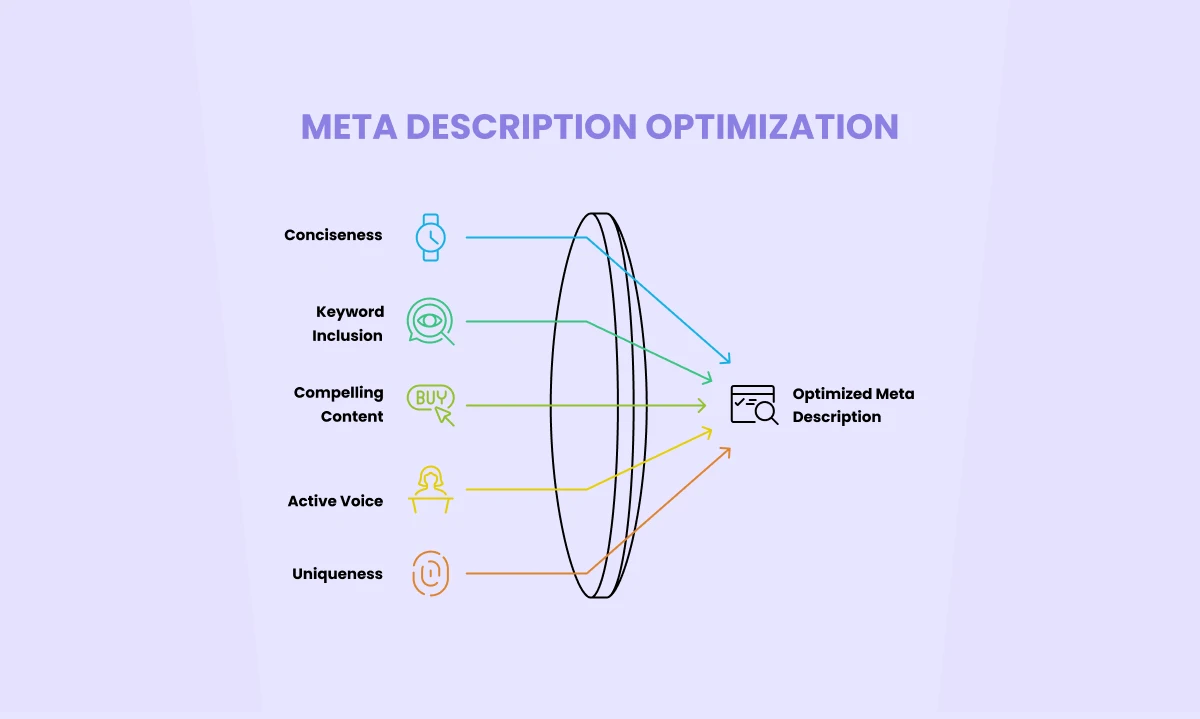
Meta Description Optimization Tips
If title tags are your storefront sign, meta descriptions are your elevator pitch. Here’s how to make them sing:
- Keep it concise: Aim for 150-160 characters. Any longer and it might get cut off in search results.
- Include relevant keywords: But make it natural. No keyword stuffing allowed!
- Make it compelling: Give users a reason to click. What makes your service unique?
- Use active voice: It’s more engaging and direct.
- Keep it unique: Like title tags, each page should have its own meta description.
- Be accurate: Make sure it reflects what’s actually on the page. No bait-and-switch tactics!
02. Optimize Your Header Tags (H1, H2, H3)
Header tags are like the framework of your content. They provide structure and help both users and search engines understand your page.
Use Only One H1 Tag Per Page
Think of your H1 as the main beam of your content structure.
Here’s how to get it right:
- Use only one H1 per page. Multiple H1s are like multiple foremen – they create confusion.
- Include your primary keyword. It’s like labeling your main blueprint.
- Make it descriptive and relevant. It should give a clear idea of what the page is about.
Use H2 Tags for Main Sections of the Content
H2 tags are for your main sections. They’re like the load-bearing walls of your content. Here’s how to use them:
- Include secondary keywords where it makes sense.
- Ensure each H2 is relevant to the section it introduces.
- Use them to break up your content into scannable chunks.
Use H3 Tags for Sub-Sections Under H2 Tags
H3 tags are for subsections under your H2s. They’re like the finishing touches in a room. Here’s how to use them effectively:
- Use them to further break down content for better readability.
- Include keywords naturally if it makes sense, but don’t force it.
- They should provide more specific information about the topic introduced in the H2.
Maintain a Logical Hierarchy (H1 > H2 > H3)
Your header structure should follow a logical hierarchy, just like a well-planned building:
- H1 > H2 > H3 > H4 (if needed)
- Ensure headers are consistent with the content structure.
- Don’t skip levels (e.g., don’t go from H1 to H3 without an H2 in between).
Use Clear and Concise Language
Your headers should be like good instructions – clear, concise, and easy to understand:
- Make headers informative and straightforward.
- Avoid jargon unless you’re sure your audience will understand it.
- Think about what information a skimming reader would find useful.
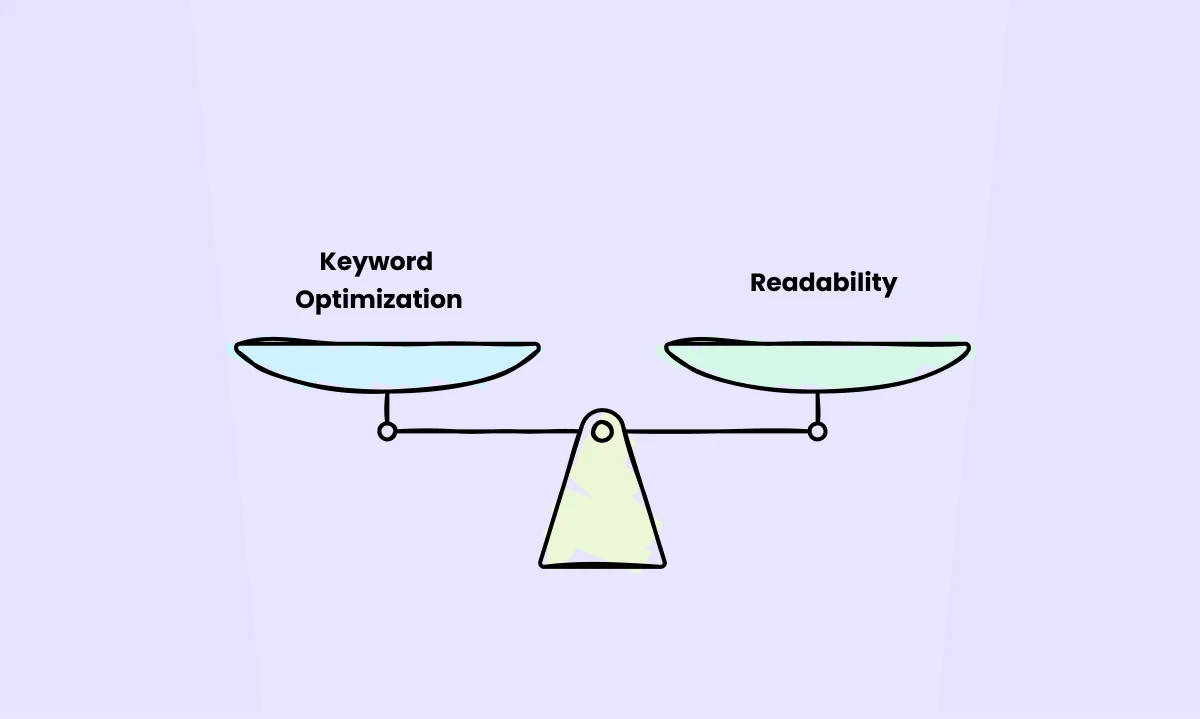
Balance Keyword Optimization With Readability
While keywords are important, readability should always come first:
- Include keywords where they fit naturally.
- If including a keyword makes the header awkward or unclear, prioritize clarity.
- Focus on creating headers that improve user experience and guide readers through your content.
Remember, your headers are like signposts guiding users (and search engines) through your content. Make them clear, make them relevant, and make them useful. Do this right, and you’ll have a content structure as solid as the buildings you construct!
Wrapping Up: Technical SEO for Construction Companies
Technical SEO might seem daunting, but it’s crucial for getting your construction company’s website found online.
By optimizing your site structure, improving page speed, ensuring mobile-friendliness, and nailing your on-page elements, you’re laying a solid foundation for SEO success.
Remember: Even the best technical SEO can’t compensate for poor content.
In the next chapter, we’ll dive into creating compelling website content that resonates with your audience and boosts your rankings.
Find out how Back Bay Digital can help your construction company grow with SEO.
Website Content for Construction Companies
Find out how Back Bay Digital can help your construction company grow with SEO.